Using Dev Proxy to Identify Excessive Microsoft Graph Permissions in Your PowerShell Scripts
Table of Contents
Objective
The goal of this article is to show how Microsoft Dev Proxy can be used to audit Microsoft Graph permissions in PowerShell scripts and detect unnecessary scopes. Instead of manually mapping Graph endpoints to permissions, you’ll learn how to automate least-privilege analysis, uncover permission creep, and integrate these checks into your development workflow.
With Microsoft’s Dev Proxy you can use the GraphMinimalPermissionsGuidance plugin to compare the permissions in the JWT that is sent to Microsoft Graph against the permissions needed for each request.
Resolution
Install Dev Proxy
First, we need to install Microsoft Dev Proxy. Microsoft has some great documentation for installing it on Windows, macOS and Linux in an automated fashion or manually. Since I am on macOS I am going to install it using homebrew:
brew tap dotnet/dev-proxy
brew install dev-proxy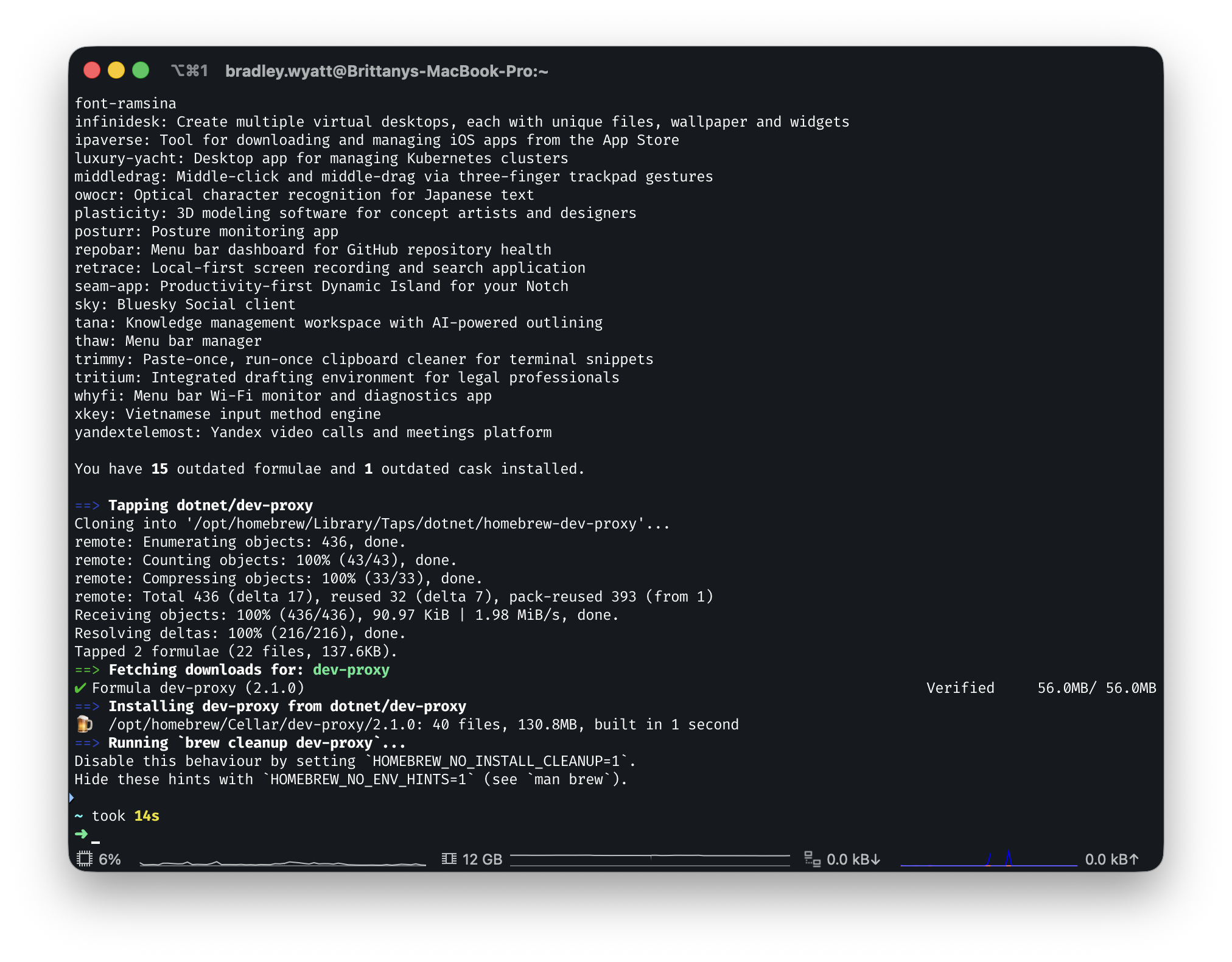
Start Dev Proxy
Once you have it installed, run devproxy to ensure its working without issues.
devproxy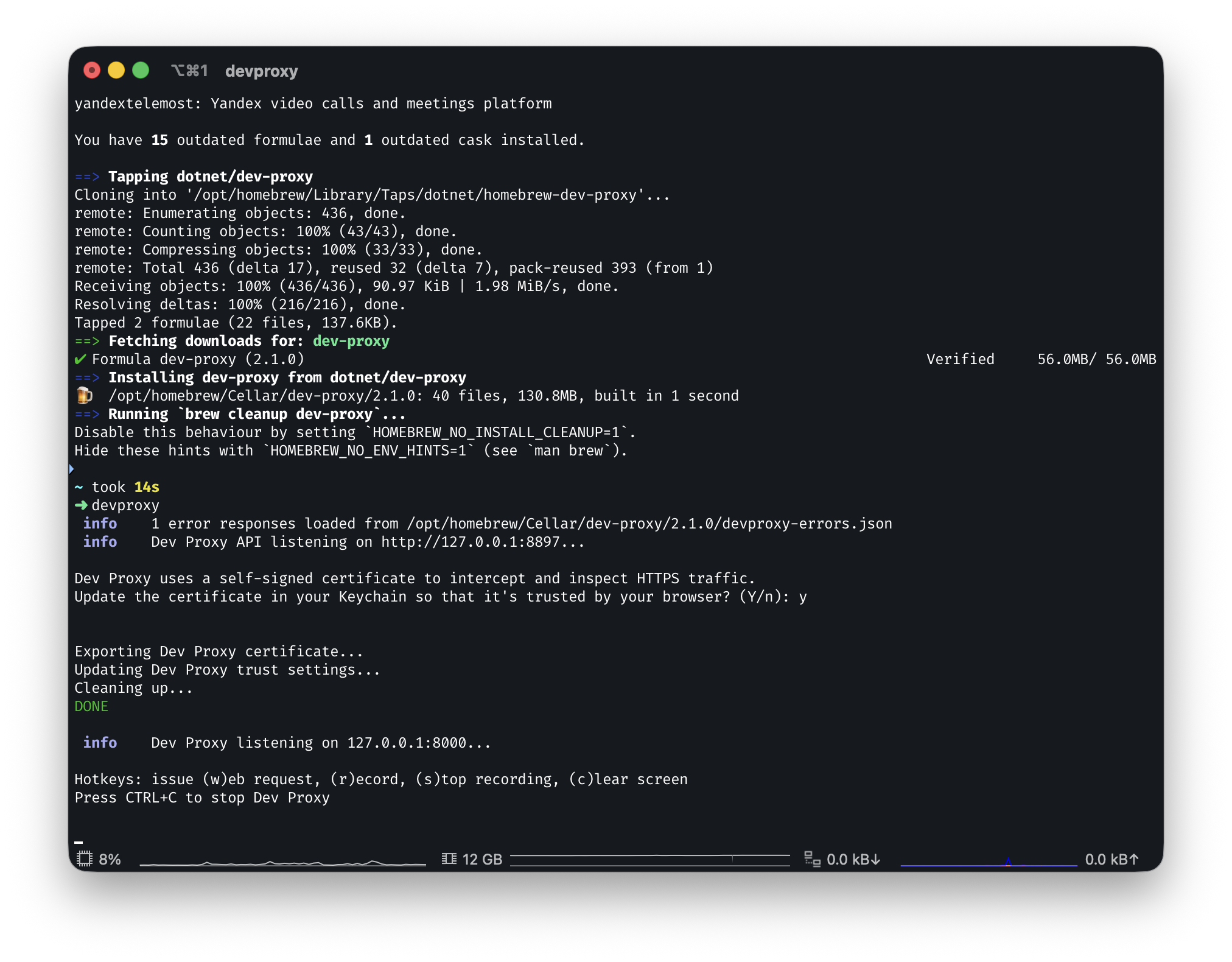
Configure Dev Proxy
Next, we will configure Dev Proxy to use the graphMinimalPermissionsGuidancePlugin plugin and to watch for graph.microsoft.com URLs.
First, I will make a new folder called devproxy and in it a file called config.json
mkdir -p ~/.devproxy
nano ~/.devproxy/config.jsonAfter that has been completed, find the location of the DevProxy.Plugins.dll in my case its located at /opt/homebrew/opt/dev-proxy/plugins/. Modify the file with the location and any permissions to exclude.
 {
  "$schema": "https://raw.githubusercontent.com/dotnet/dev-proxy/main/schemas/v2.1.0/rc.schema.json",
  "urlsToWatch": [
    "https://graph.microsoft.com/*"
  ],
  "plugins": [
    {
      "name": "GraphMinimalPermissionsGuidancePlugin",
      "enabled": true,
      "pluginPath": "/opt/homebrew/opt/dev-proxy/plugins/DevProxy.Plugins.dll",
      "configSection": "graphMinimalPermissionsGuidancePlugin"
    }
  ],
  "graphMinimalPermissionsGuidancePlugin": {
    "$schema": "https://raw.githubusercontent.com/dotnet/dev-proxy/main/schemas/v2.1.0/graphminimalpermissionsguidanceplugin.schema.json",
    "permissionsToExclude": [
      "profile",
      "openid",
      "offline_access",
      "email"
    ]
  }
}Now when you start Dev Proxy use --config-file and point it to your new configuration file. For example:
devproxy --config-file ~/.devproxy/config.jsonRecord API Calls and Review Results
Now that we have our configuration file, start Dev Proxy, point it to the config file, and use the --record flag to begin recording.
devproxy --config-file ~/.devproxy/config.json --record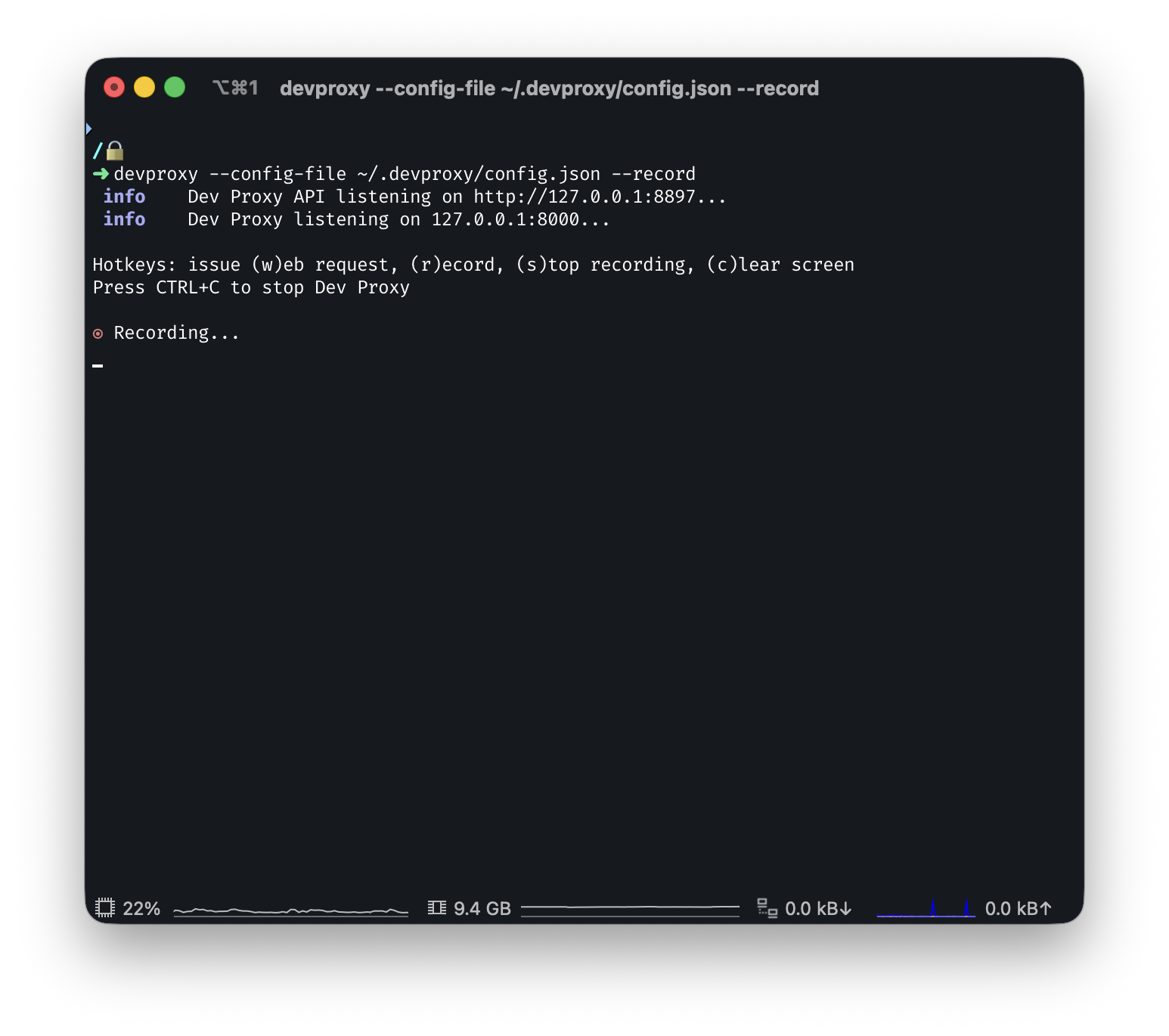
Now in PowerShell I am going to user Invoke-WebRequest to get users in my tenant.
$token = "kdhfnisobfsdfbl"

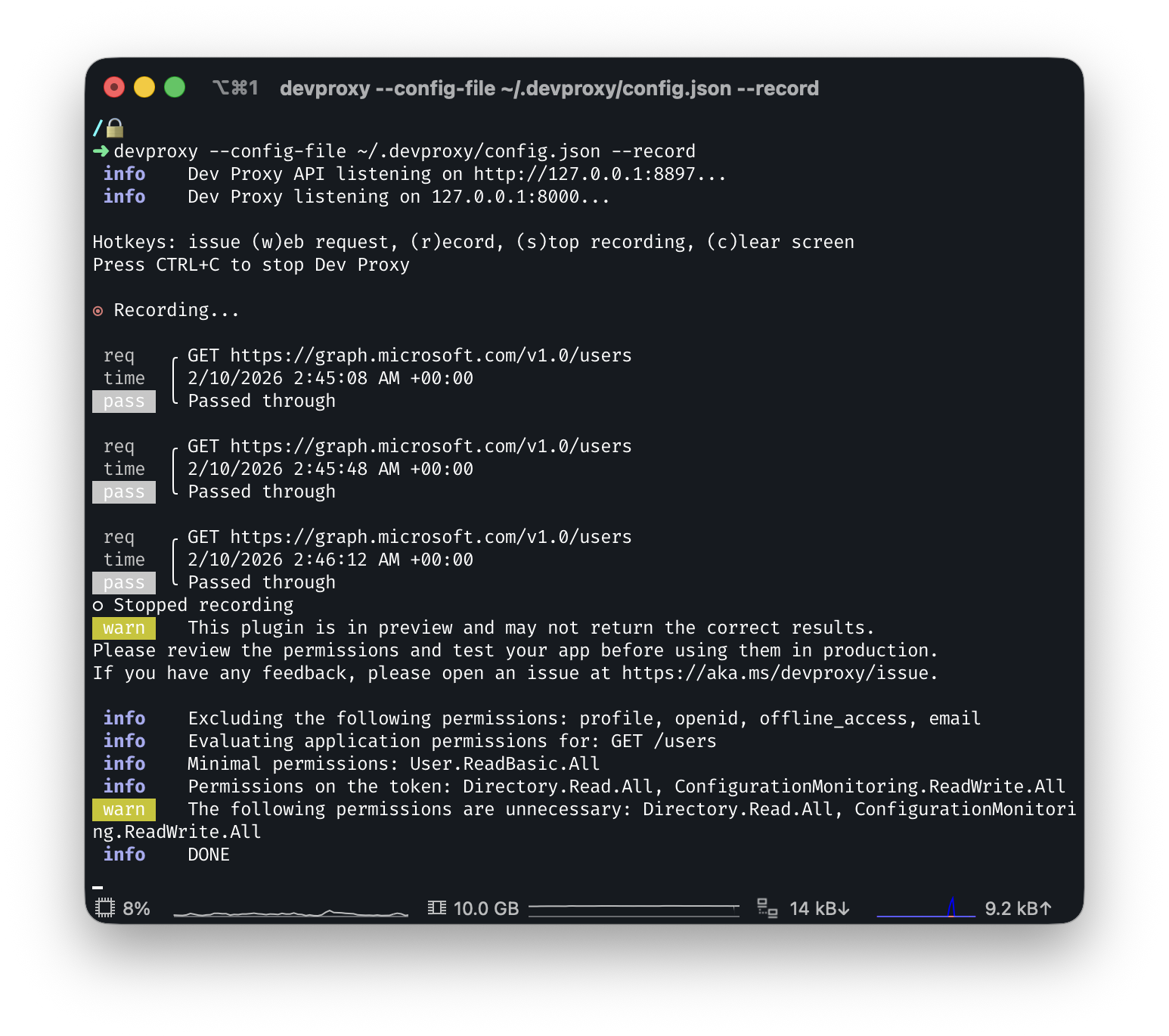
Invoke-WebRequest -Uri "https://graph.microsoft.com/v1.0/users" -Headers @{Authorization = "Bearer $token" }Over in my Dev Proxy terminal I can see that it saw the request and it tells me it passed the request through
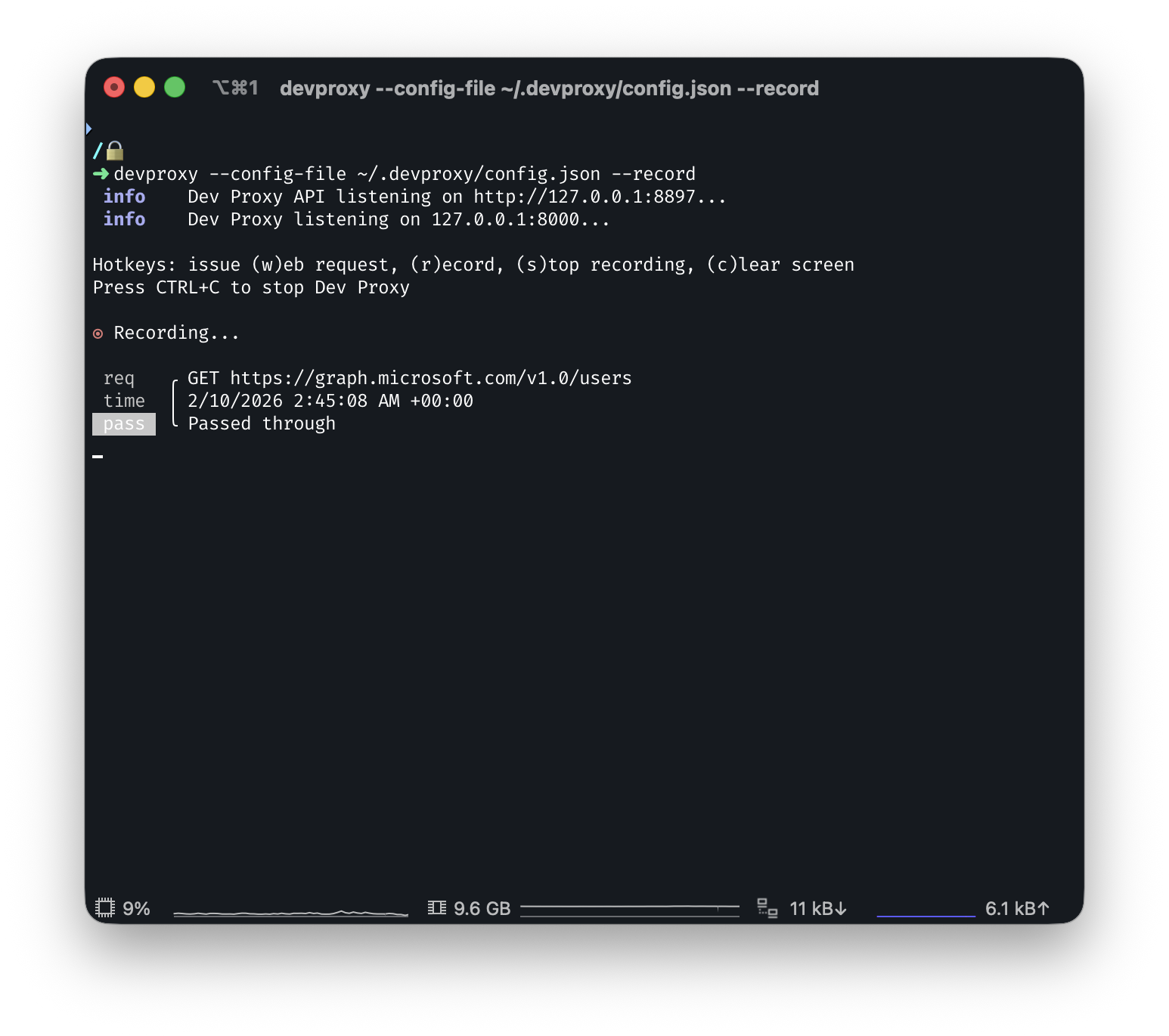
You can stop the recording by typing “s” which will tell us that we have several API permissions that we do not need:
Now lets try it using the Microsoft Graph PowerShell SDK.
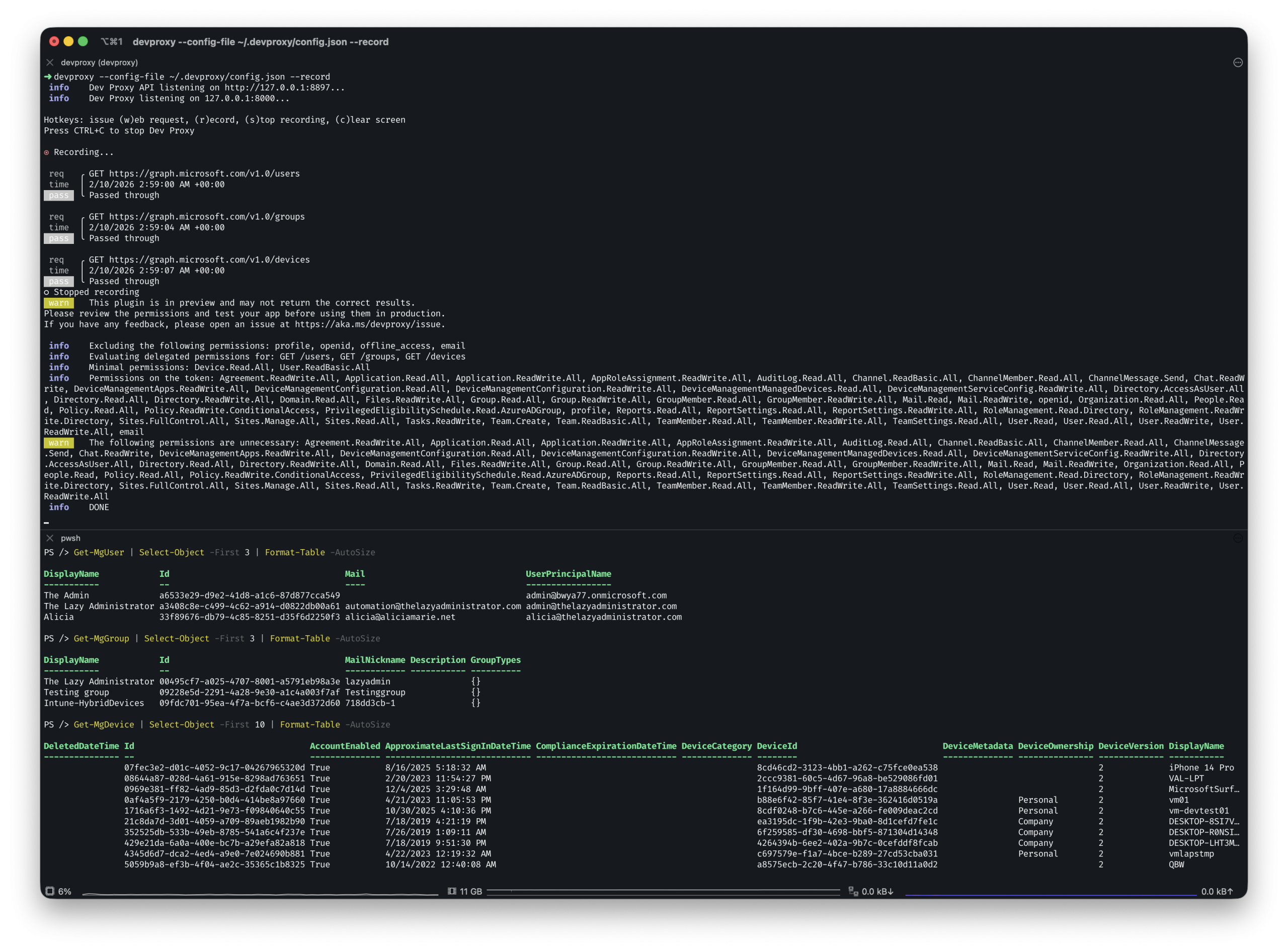
In this example I am going to run Get-MgUser, Get-MgGroup and Get-MgDevice. Simulating some commands that my script might be running. Once I stop recording I can see that I have a large amount of permissions that can be removed:
Final Thoughts
Whether you are auditing an application or a script, Dev Proxy makes it easy to quickly identify the exact Microsoft Graph permissions your code actually uses. By uncovering unnecessary scopes, you can enforce least-privilege principles, reduce security risks, and keep your applications lean and compliant. Integrating Dev Proxy into your development workflow ensures that permission creep doesn’t go unnoticed and helps maintain a more secure environment over time.

My name is Bradley Wyatt; I am a 6x Dual-Microsoft Most Valuable Professional (MVP) in Microsoft Azure and Microsoft 365. I have given talks at many different conferences, user groups, and companies throughout the United States, ranging from PowerShell to DevOps Security best practices, and I am the 2022 North American Outstanding Contribution to the Microsoft Community winner.